
Run Lookalyke locally
You’ll start a temporary Lookalyke sandbox, create a Stripe customer over HTTP, and find the same request in the dashboard. You’ll need Git, Node.js 22.14 or later, and pnpm 12.
Start the demo
Section titled “Start the demo”Run these commands in a terminal. If you already cloned Lookalyke, start inside that checkout and skip the first two lines.
git clone https://github.com/jviars/lookalyke.gitcd lookalykepnpm install --frozen-lockfilepnpm buildnode packages/server/dist/cli.js --memory --demoLeave that terminal running. Open 127.0.0.1:4100 to see Activity populated with synthetic requests. The demo includes sample customers, invoices, and webhook attempts.
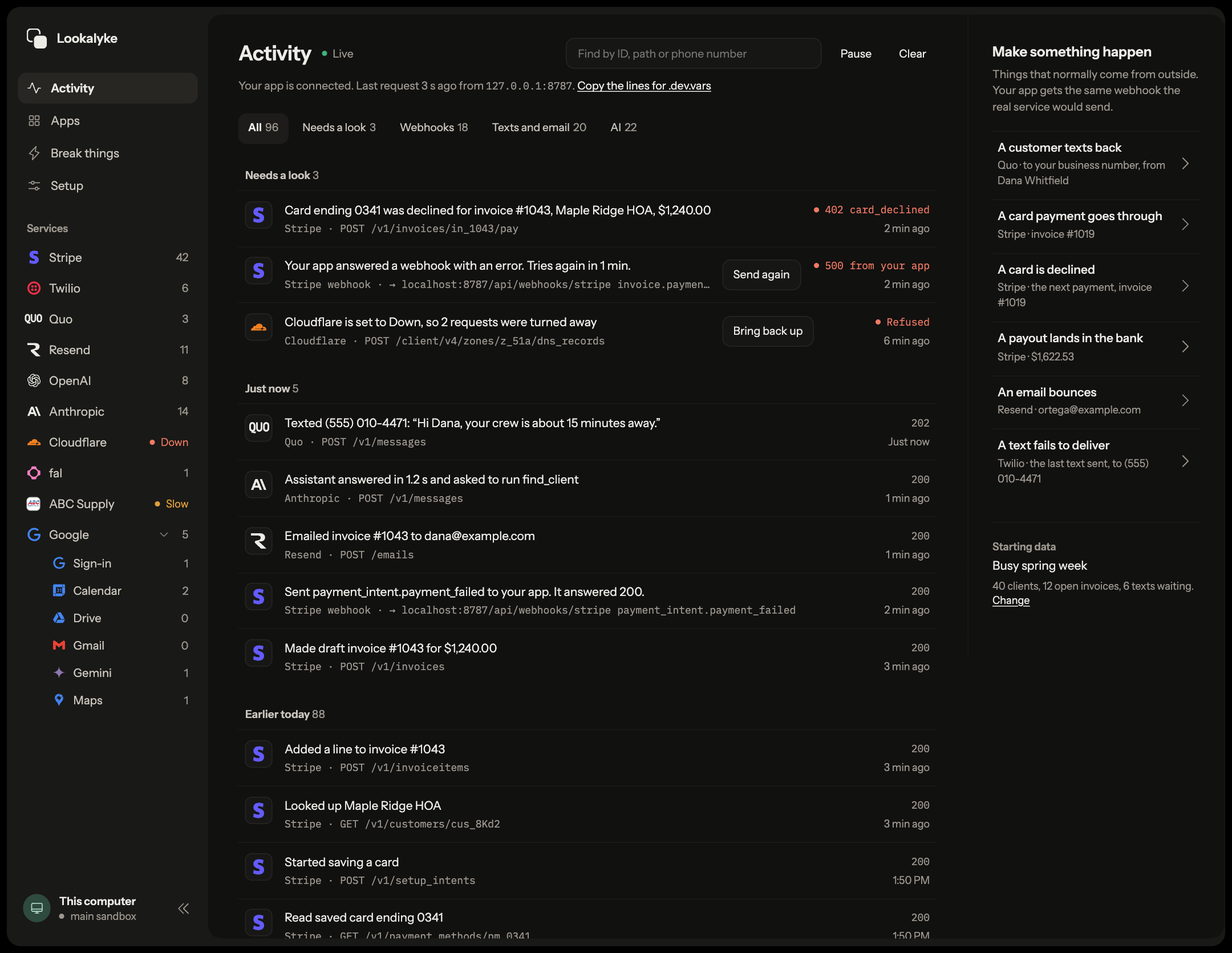
Make your first request
Section titled “Make your first request”Open a second terminal in the checkout. Get the current Lookalyke sandbox key, then use curl to create a Stripe customer.
key=$(node packages/server/dist/cli.js keys --json | node -p 'JSON.parse(require("node:fs").readFileSync(0, "utf8")).secretKey')
curl --fail-with-body -u "$key:" \ --data-urlencode "name=Demo Customer" \ http://127.0.0.1:4100/stripe/v1/customersThe response contains a customer ID beginning with cus_. In Activity, open the new Stripe request to inspect what you sent and what Lookalyke returned. Under Stripe → Saved data, you can find the customer you just made.
Move from the demo to your own tests
Section titled “Move from the demo to your own tests”Press Ctrl+C in the first terminal to stop the demo. Start a sandbox with persistent data using the built CLI.
node packages/server/dist/cli.jsThe first run creates .lookalyke/ in the current directory. Future runs reuse its contents. For a quick health check, run curl -fsS http://127.0.0.1:4100/_lookalyke/health. A healthy server returns JSON with "ok": true and its version.
Connect your app or learn how to send your first webhook.